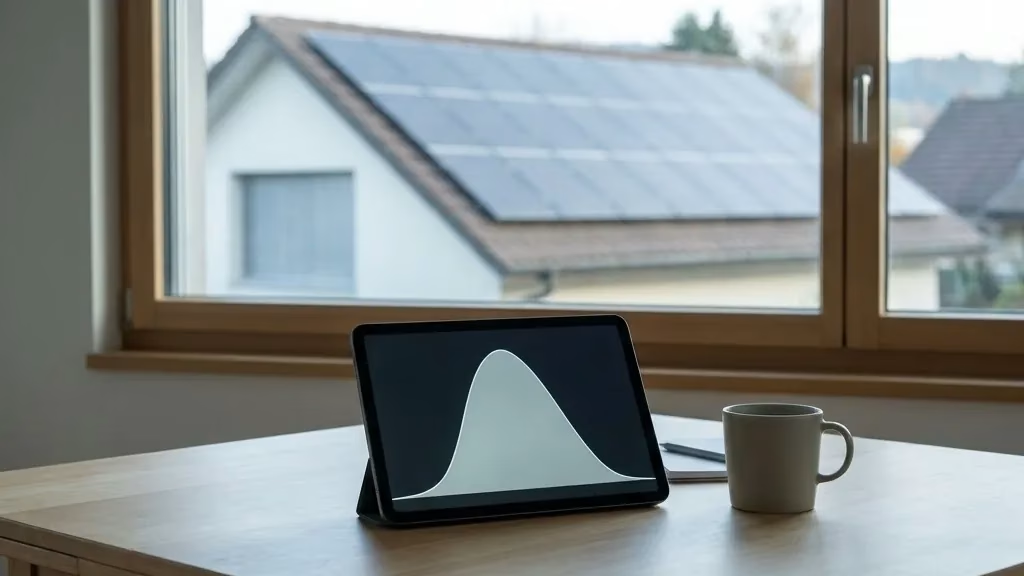
The monitoring app usually comes with your inverter – Fronius supplies Solar.web, SMA its portal, Huawei FusionSolar, SolarEdge its monitoring. Manufacturer-independent solutions such as Solar Manager, by contrast, bring mixed systems together in one place. More important than the nicest interface is an unglamorous function: reliable fault notification, which warns you before the system produces little for days on end. Because a monitoring app displays – it doesn't control, that happens elsewhere. (As of: July 2026)
Key points in brief
- The monitoring app usually belongs to the inverter – it's rarely chosen independently.
- The most important function is alarm and fault notification, not the pretty graph.
- Good apps show live data, the daily curve, historical values and – on some systems – the output per module.
- A monitoring app only displays; an energy manager actively controls – these are two different things.
- For mixed systems, a manufacturer-independent app brings everything together in one view.
Can I even choose the monitoring app freely?
Usually not – and that's an important expectation to correct. The monitoring app as a rule belongs to the inverter: anyone who chooses Fronius, SMA, Huawei or SolarEdge gets the matching app thrown in. The app is therefore more of a secondary criterion of the inverter choice than a purchase decision in its own right.
Independently of that, there are cross-manufacturer solutions that bundle data from different devices into one view – handy when the inverter, battery and wallbox come from different brands. How monitoring works in principle and why it's worth it is covered in the article Monitoring a solar system.
What must a good monitoring app be able to do?
It's not the number of charts that counts, but whether the app does the right things:
| Function | Why it counts |
|---|---|
| Fault and alarm notification | actively warns before the system delivers little for a long time – the most important function |
| Live data and daily curve | shows whether everything is running normally today |
| Historical values | allows a "this month vs. the same month last year" comparison |
| Self-consumption display | shows how much solar power stays in the house |
| Module or string level | helps with troubleshooting (depends on the system) |
Rough classification, as of: July 2026. The scope of functions differs by manufacturer and keeps evolving.
By far the most important line is the first. A system can run at half output for weeks without anyone noticing – the fault notification is the guard that prevents that. How to spot warning signs in monitoring data is covered in the article Monitoring a solar system; for the battery there is the battery app, and for charging the smart charging app.
Displaying or controlling – where's the line?
This is the most common mix-up. A monitoring app displays – it observes and logs. An energy manager controls – it actively decides when which consumer gets solar power. Some systems can do both, but they are two separate functions: the nicest monitoring doesn't raise your self-consumption by a single kilowatt-hour as long as it only watches. Anyone who wants active control needs the layer covered in the article Energy managers compared.
For most systems: the monitoring app that comes with the system is completely sufficient, as long as it reliably raises the alarm. A separate energy manager is a decision of its own, based on the number of controllable consumers, not on the app.
Customers sometimes fall for an app's glossy graphics – we look at something else: does it send a notification when something's wrong? We've seen systems that ran at half output for months because a string had failed and nobody noticed – the missing yield quietly shows up only on the annual statement. That's why we always set up fault notification at commissioning and show the customer where to see the daily curve. Which app it is usually follows from the inverter; for mixed systems with components from several brands, we recommend a cross-manufacturer solution so you don't need three apps side by side. And we say it plainly: watching is good, but it doesn't control anything – anyone who wants more self-consumption needs active control, not the nicer graph.
Frequently asked questions
Which monitoring app is the best?
The one that reliably raises the alarm when something's wrong. Fronius Solar.web, the SMA portal, Huawei FusionSolar and SolarEdge monitoring are all usable – you usually get them with the inverter. More important than the feature set is that the app reports a fault before the system produces little for a long time.
Can I choose the app independently of the inverter?
Only to a degree. The standard app belongs to the inverter. Anyone who wants a cross-manufacturer view – for example with mixed components – can add an independent solution that bundles data from different devices. That's worthwhile above all when the inverter, battery and wallbox come from different brands.
What's the difference between a monitoring app and an energy manager?
The monitoring app shows what the system is doing; the energy manager actively controls which consumer gets solar power when. Watching doesn't raise self-consumption – controlling does. For pure monitoring, the bundled app is enough; active control is a separate decision.
Do I even need a monitoring app?
Yes – at least the fault notification. Without monitoring, a gradual loss of output is often only noticed on the annual statement. An app that sends a notification when there's a fault is the simplest protection against quietly losing yield and belongs to a clean commissioning.
Free initial consultation
So your system tells you when something's up.
We set up monitoring at commissioning – with active fault notification, so that no yield is lost quietly.
Prefer to talk? +41 78 830 83 35
Your photovoltaic system from a specialist company →
Swissolar member and Solarprofi · ESTI installation authorisation (Art. 14 NIV) · in Zurich since 2017 · over 150 systems completed · a personal answer from the specialist company, no call centre
Further guides
 Solaranlage überwachen
 Wechselrichter im Vergleich
 Speicher-App
 Energiemanager im Vergleich
 Smart-Charging-App
Sources: Manufacturer information on monitoring solutions (Fronius Solar.web, SMA, Huawei FusionSolar, SolarEdge, Solar Manager and others), empirical data from ecoEn GmbH commissionings (Zurich region). As of July 2026.
Last updated: 9 July 2026 · Author: ecoEn editorial team